Command Center
See what needs attention. Before the next service.
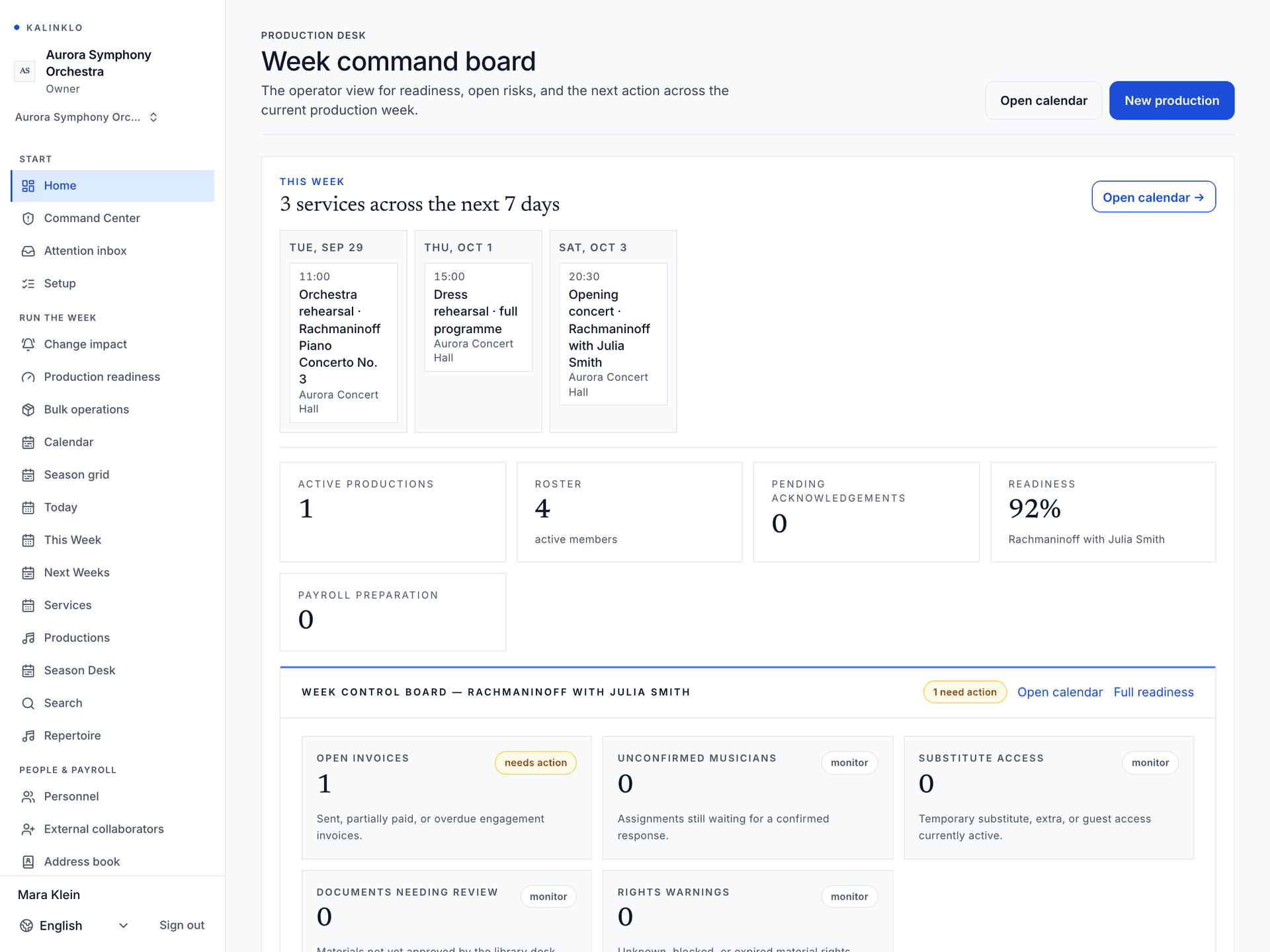
Command Center gives orchestra staff one readiness board for the production week: unconfirmed players, missing acknowledgements, expiring documents, service risks, and the next place to fix each issue.
Built for Operations and production staff · Personnel managers · Librarians · Executive and artistic leadership
Illustrative production · explore the score
See what changes the score.
This example has two unfinished checks. Everything else in the weighted checklist is complete. Mark each check complete to see its effect.
An unsigned contract still needs staff attention, even at 100. Contract, agreement and blocking-checklist warnings are reviewed separately from the score.
What goes into the score?
- Schedule and program38/100
- Services 12 · venues 10 · repertoire 8 · program name 4 · conductor 4.
- Personnel30/100
- Assignments 12 · confirmation of every assignment 18.
- Documents and access32/100
- Documents 8 · known rights 10 · required acknowledgements 10 · no expired-but-active access 4.
Production readiness
A risk board that links to the fix
Start with the productions coming up in the next 28 days. The operational average uses their available scores; later productions do not dilute it. Open each production to see its risks and the desk responsible for the next action.
- Signals
- unconfirmed players · missing documents · acknowledgement gaps
- Action
- open personnel · open library · open announcements
Workflow sample
Illustrative- assign
Personnel
Find unconfirmed or missing players
See service risks needing a personnel decision and jump to the roster or assignment surface.
- clear
Library
Resolve document risk
Spot missing acknowledgements, expiring rentals, and documents requiring librarian review.
- Ready
Operations
Run the week from one board
Use the score and red flags for the staff standup: what is ready, stuck, and owned.
What Command Center replaces
The meeting where everyone discovers a different problem
Today
Chasing confirmations by hand
On Kalinklo
A visible unconfirmed-player signal
Today
Unknown document status
On Kalinklo
Acknowledgement and expiry risk together
Today
No owner for risk
On Kalinklo
Each issue names the owning desk
Today
Static status reports
On Kalinklo
Links to the surface that fixes the issue
Access model
Staff see the risk; members see only their week
Command Center is internal. Musicians and substitutes use assignment-scoped My Week and document views.
Staff-only
Command Center requires organization staff access.
Role-aware
Personnel, library, and operations staff see work allowed by their permissions.
No public data
Readiness signals never expose private schedules or documents publicly.
Auditable
Assignments, documents, and acknowledgements remain in the workspace audit trail.
Get started
Know what needs attention before the next call.
Access is approval-gated and reviewed by hand. For a closer reading of this workspace, see the Help Center article.
Command Center is available in reviewed-access workspaces. It is a readiness board, not an automated replacement for staff judgement.