Operating system one
Run the week before the week runs you.
Plan the production with your team. Give each musician the calls, approved materials and changes that apply to them.
Built for orchestras · opera companies · festivals · conservatories · institutional performance offices
Two operating views
Staff run the week. Members see My Week.
Staff manage the production record. Members get the calls, materials and changes relevant to their work.
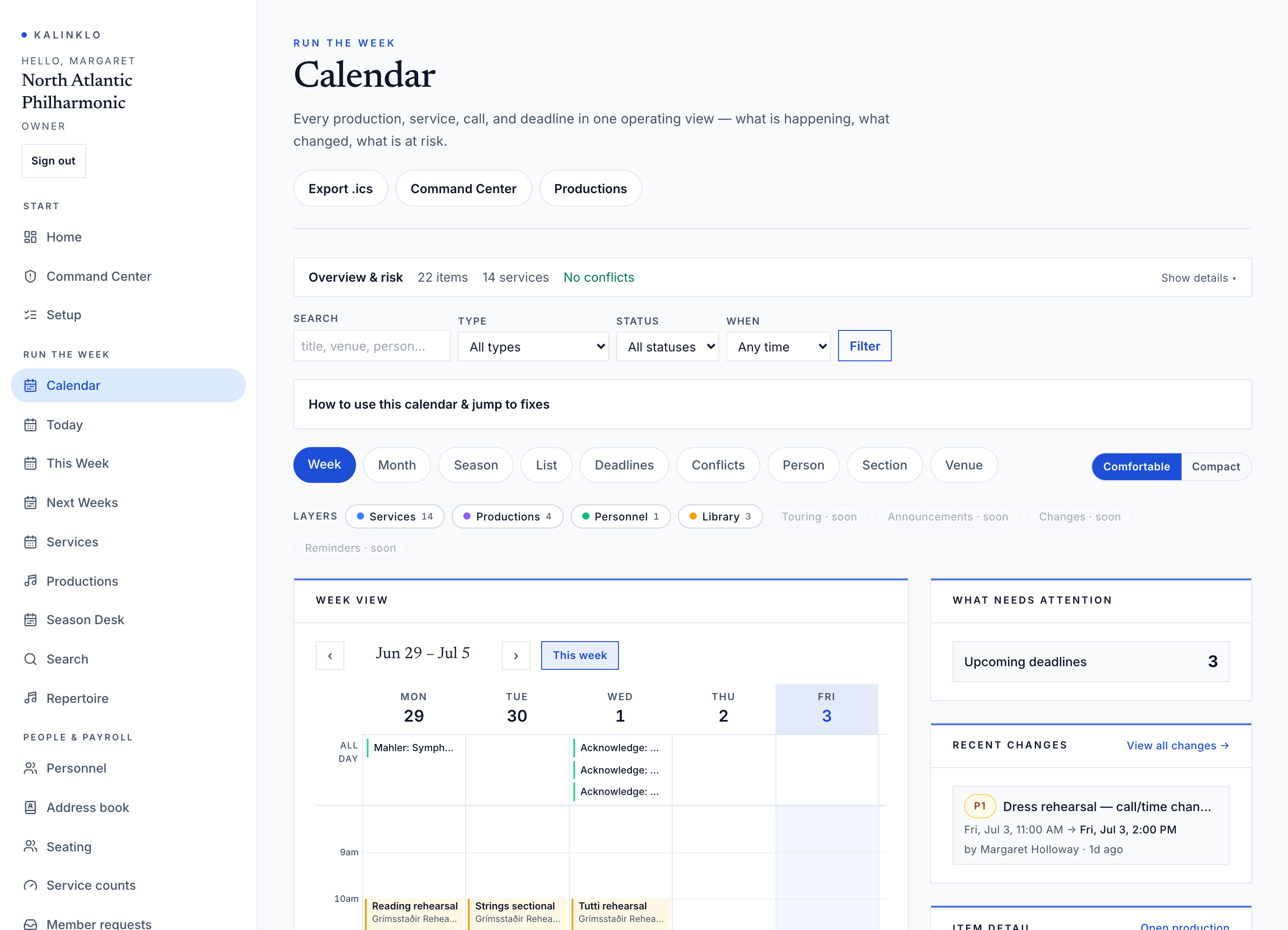
Staff workspace
Create the production week, add services, assign personnel, attach materials, and send announcements.
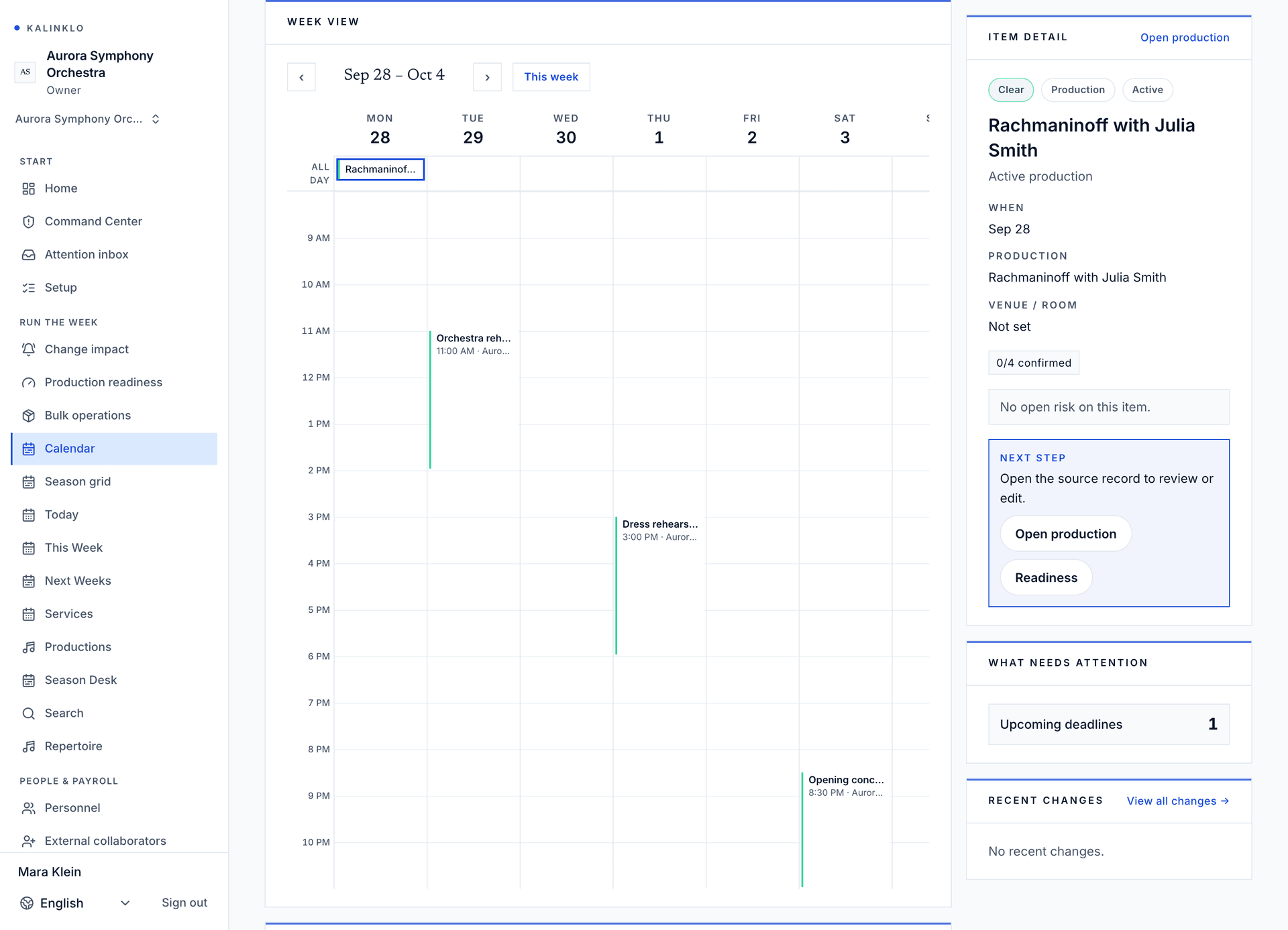
Open full-size calendar image
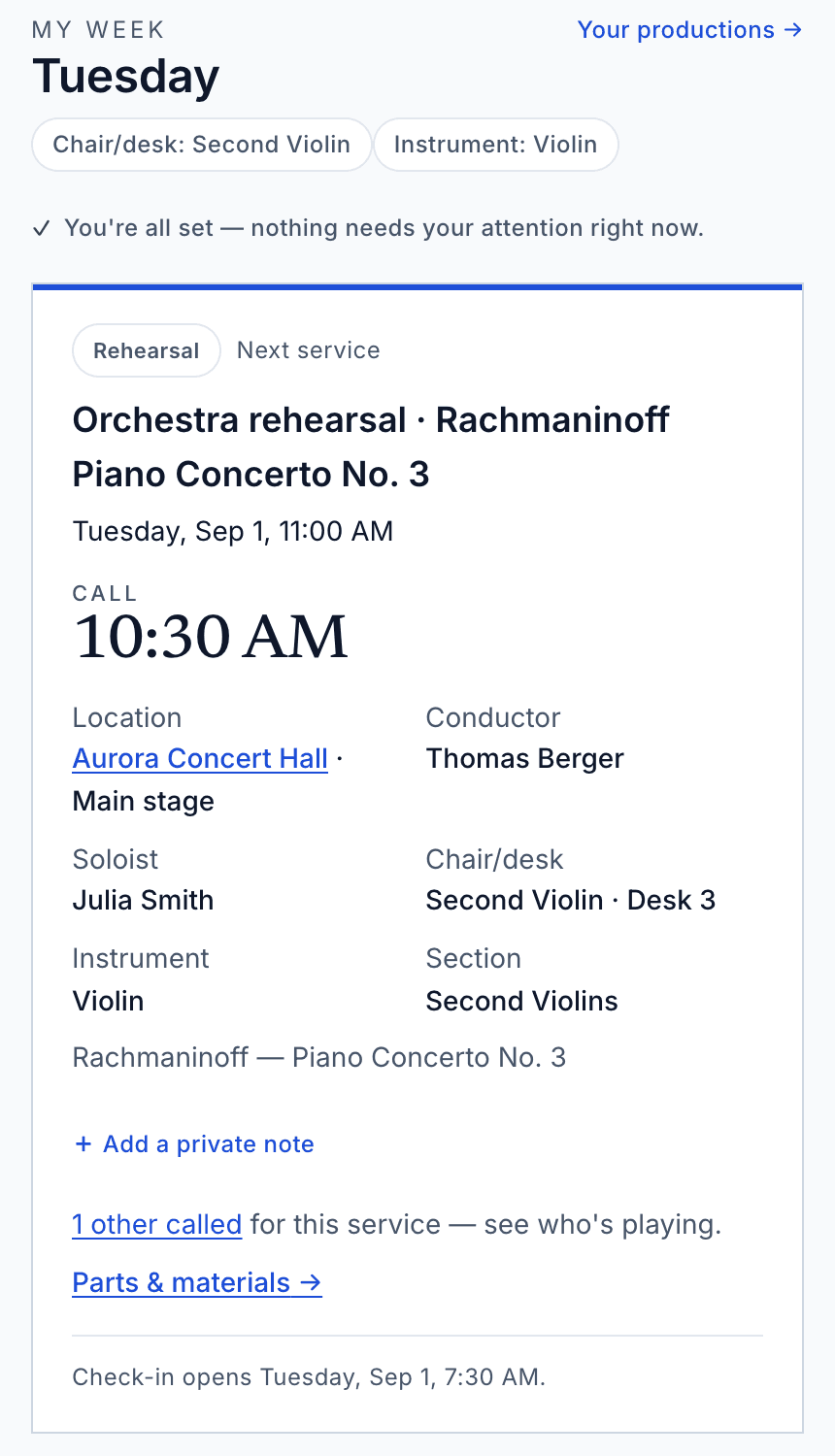
Member workspace
A musician or substitute sees call time, location, repertoire, approved materials, and what changed.
Explore an illustrative production week from the staff, musician and agency perspectives. No sign-in required.
Explore the demoFrom preparation to performance
A clear handoff at every stage of the week.
Prepare the production
Set the programme, services, times and venues. Draft schedules stay hidden from members until authorized staff publish them.
Put the right people on the call
Assign musicians and sections, review availability and conflicts, and arrange substitutes. Temporary access stays within the scope and dates your team grants.
Give members a usable week
Publish when ready. Members see their calls and permitted information in My Week. Document rights, permissions and expiry still determine which materials they can open.
Follow through when plans change
Review changes, outstanding acknowledgements and open issues. See what needs attention and follow up with the responsible people before the next service.
The desks behind a coordinated week.
Staff see services, personnel, material readiness, and acknowledgements together. Members see only approved calls, documents, and changes.
Production Desk
Plan services, assign people and manage the production record.
Library Desk
Organize parts, record rights and control access to approved materials.
Command Center
Review readiness, find open risks and follow the link to the responsible desk.
There is more to a week than its calendar.
Keep the work around the call in view. Available tools depend on your role, plan and workspace setup.
- Seating and rotations
- Production seating plans, chair and desk assignments, service overrides, substitute replacements, and rotation history. The roster remains the source for member profile fields.
- Leave & sickness
- Review member leave, sickness, and conflict requests. Approved and staff-entered unavailable windows feed personnel conflict warnings; denied or cancelled rows stay in the audit trail but do not block scheduling.
- Payroll preparation
- Prepare agreement-aware service counts, review advisories, approve periods, and create provider-ready exports. Kalinklo does not run payroll or payments.
- Rooms & equipment
- Book rehearsal rooms, performance spaces, storage, equipment, and vehicles. Overlapping bookings on the same resource are caught before they double-book. Export usage from Reports.
- Issues & punch list
- Track operational problems, assign owners, and close the loop before they affect a service.
- Official change register
- The authoritative history of published schedule, roster, repertoire, seating, and materials changes. Members confirm each affected change; you see who has not.
Finish the week with records you can use.
The workspace carries more than the next call. Authorized staff can prepare reports for personnel review, the performance handoff and the record of who took part.
- Program order
- Service running order and programmed segments for rehearsal and performance handoff.
- Service counts
- Weekly service load by musician for personnel and agreement review.
- Attendance
- Per-service attendance marks, notes, and recorded time.
Access model
Private by default, scoped by the actual work.
Staff access follows configured roles. Members and substitutes see the productions and materials their assignments and document permissions allow.
Role-scoped
Operations, library, personnel, leadership, members, and substitutes can hold different access.
Assignment-scoped
Services, sections, and documents narrow what each person sees.
Time-limited access
Temporary collaborators can lose access after the final service.
Recorded actions
Changes, document opens, and acknowledgements stay logged.
Get started
Give your team a week they can act on.
Access is approval-gated and reviewed by hand. For a closer reading of this workspace, see the Help Center article.
Kalinklo organizes access to organization-approved materials and production information. The organization remains responsible for the rights and commitments behind the week.