Presenter planning · Manage the Engagement
Plan the season. Hold the artist. Close the engagement.
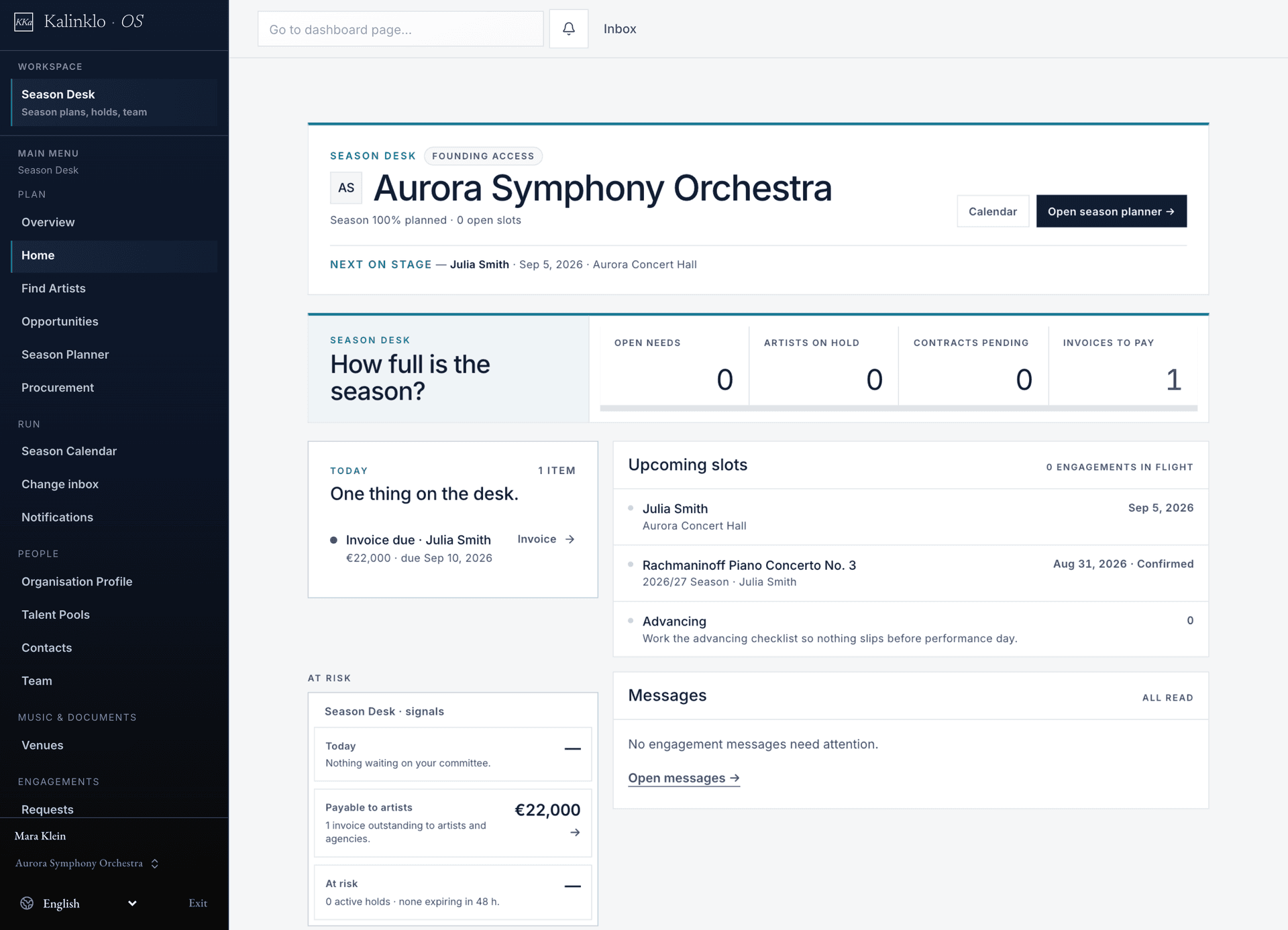
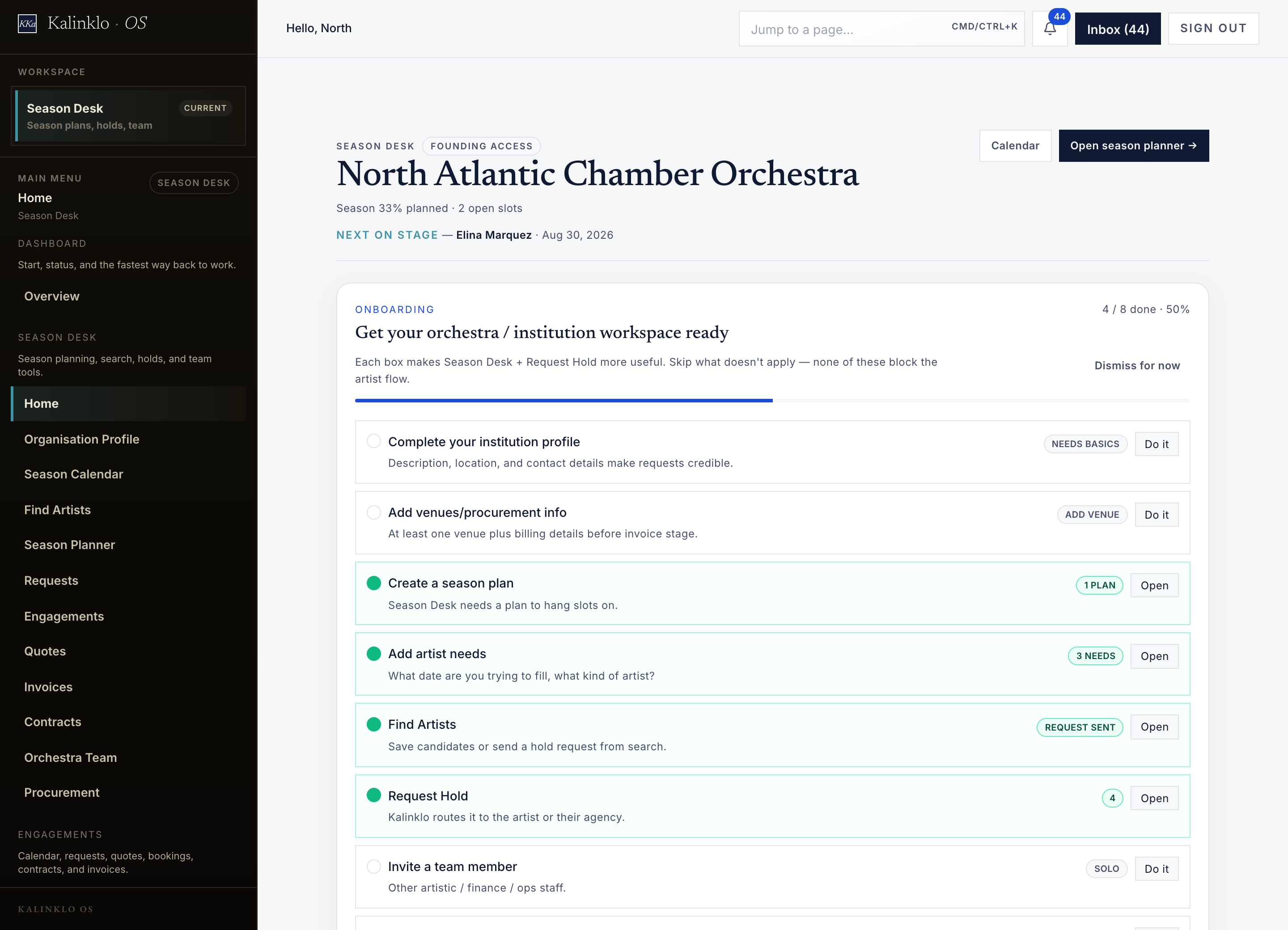
Bring open slots, artist shortlists, holds, and budgets into one presenter workspace. Follow the engagement from the first request through contracts and invoices.
Built for Symphony orchestras · Concert halls · Festivals · Recital series
Open full-size workspace image
Presenter planning · Manage the Engagement
See the season’s open decisions together.
Build the programme around dates, venues and artist needs. Follow the choices still being considered alongside the requests and agreements already in progress.
- The slot to fill
- Keep the date, venue, programme idea and required artist type with the season slot, so the next conversation starts with a clear brief.
- Candidates with context
- Review repertoire and profile information, then organize candidates in the talent pools available to your team. A shortlist records consideration, not an artist’s commitment.
- The next decision
- See which requests await approval, which holds are approaching expiry and which engagements have reached contract. Follow the recorded status before taking the next action.
- The people and the place
- Keep presenter contacts and venue information available when preparing the request and the practical details of the engagement.
Know what is planned. See what is approved.
Review the season’s cost assumptions alongside the decisions that create commitments.
Explore Season Desk- Projected costs
- Track artist fees, travel, and production budgets for season slots.
- Approved budget
- Compare projected costs with the recorded approved budget.
- Currency stays visible
- Budget totals are grouped by currency. Separate currencies are not silently converted into one total.
Illustrative engagement
One guest soloist. Four decisions worth keeping together.
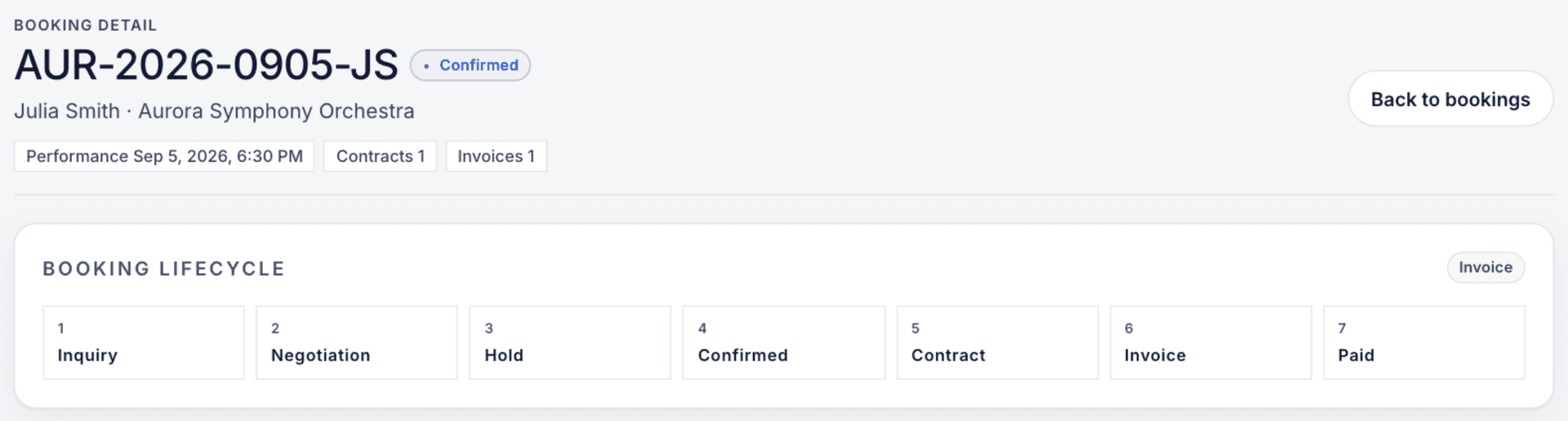
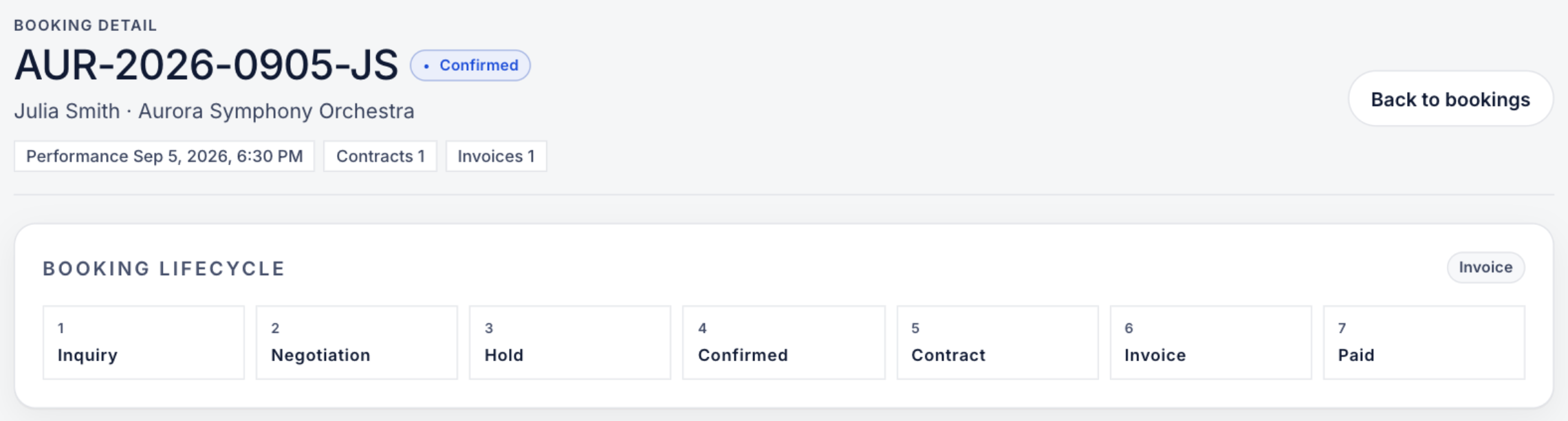
Your next season has a concert date and a programme in mind. Follow a candidate from the shortlist to the agreement without confusing interest with commitment.
Open full-size workspace image
Build a considered shortlist
Review repertoire, profile information and the artist’s office. An open date is useful context, not confirmation that the artist will accept.
Make the request specific
Prepare the date, venue, programme, fee range, currency and response deadline. If internal approval is required, the request waits for that decision before delivery.
Read the response and the clock
Review a counteroffer before accepting revised terms. An accepted request can create a time-limited hold: check its expiry and current status while the next decision is pending.
Agree the terms, then contract
A hold is not a signed contract. Complete the authorized quote and contract steps; invoices, payment records and the production handoff each need their own follow-through.
A promising booking still needs internal decisions.
Keep programming intent, spending approval and contractual commitment distinct as the engagement progresses.
Who can approve?
Check your organization’s approval requirements before sending. Presenter access does not automatically grant organization budget or production permissions.
What does procurement need?
Authorized owners or administrators maintain procurement contacts, PO requirements and payment instructions. Review the actual document before sending; do not assume every field carries forward.
What is still pending?
Use the recorded request, hold and contract status to guide the next action. Moving a season-planning item does not confirm an artist or sign an agreement.
Bring one season into focus.
Start with your dates, venues, programme needs and cost assumptions. Prepare a small candidate list and agree which colleagues review requests and terms.
Confirm the workspace and each colleague’s permissions before sharing plans. Public sample artist profiles illustrate the experience; they cannot receive real engagement requests.
Read the presenter setup guideConnected to the working week
Plan the relationship. Then run the production.
Season Desk’s presenter workspace belongs to Manage the Engagement. Organization season planning supports budgets and links to engagements and productions in Run the Week. Each workspace has its own permissions.
Which workspace will my team use?
Tell us whether you need presenter booking, organization production planning, or both when requesting access. We review your workflow and plan needs; one workspace does not automatically grant access to the other.
Get started
Ready when you are.
Access is approval-gated and reviewed by hand. For a closer reading of this workspace, see the Help Center article.
Access is reviewed. Available tools depend on your plan and workspace permissions.